
 Push notifications
The right message,
at the right
moment.
Deep-linked, category-aware push notifications that bring your members back into the app — not just a generic ping. Every notification taps directly into the exact screen it came from.
5
Notification categories
Deep
Linked to exact screen
TZ
Timezone-aware delivery
9:41
Saturday, June 7

● Sarah is going LIVE
Weekly Q&A starts now — tap to join
Tap to preview
 Rich media push
Show the story,
not just the headline.
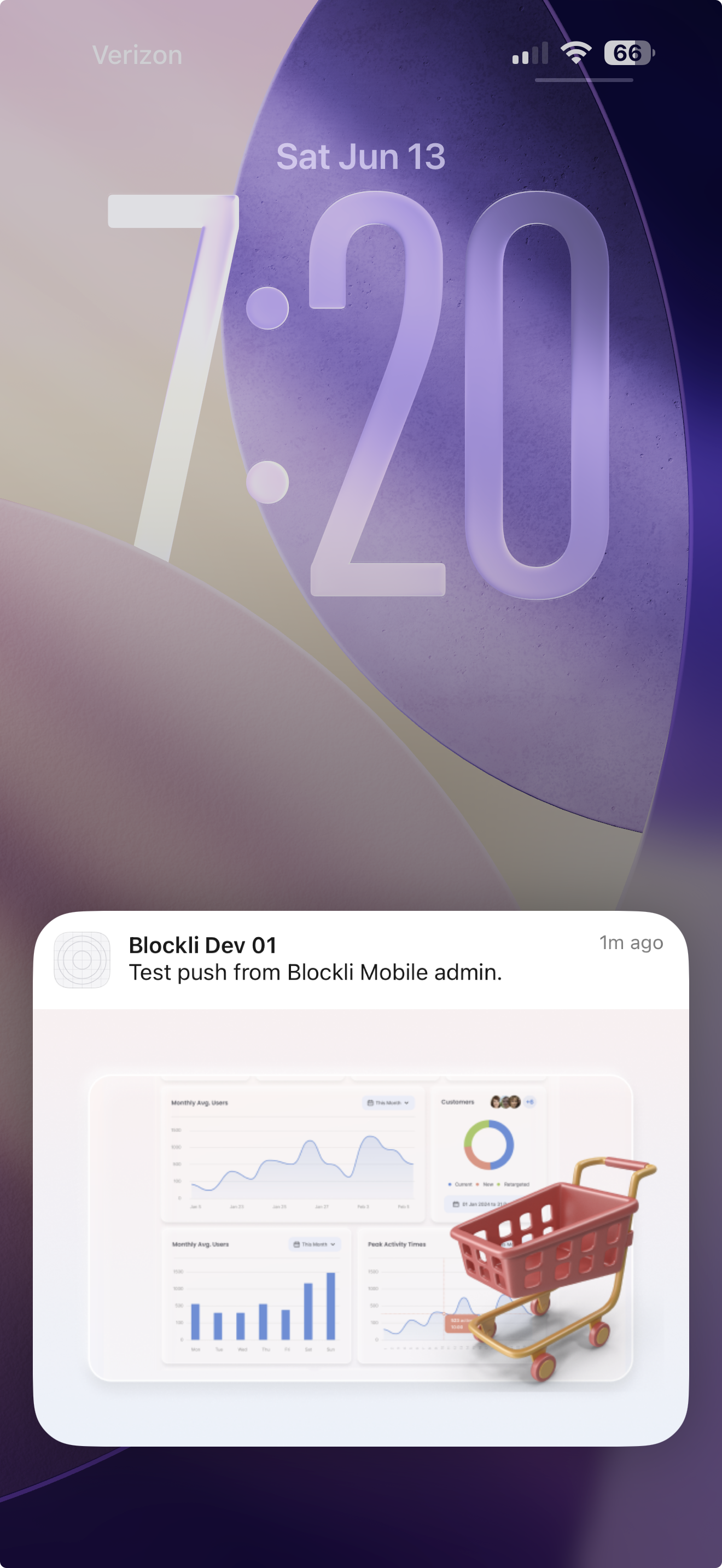
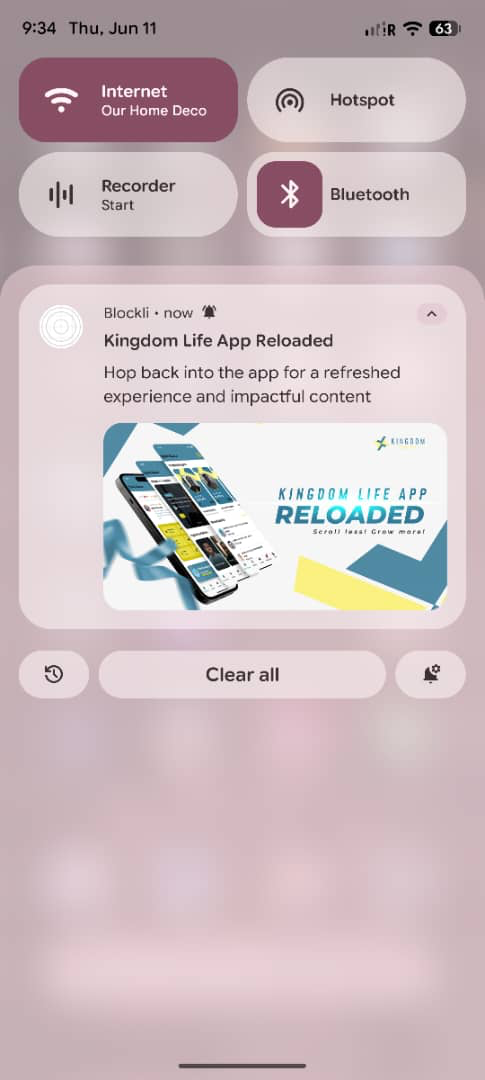
Attach an image to any Blockli push notification and give members a visual reason to open it. Promote a release, product, event, course, or community update directly on the lock screen.

Images included natively
Rich previews render directly inside iOS and Android notifications.

One image, one destination
Tap the notification to deep-link into the exact post, product, screen, or offer.

Built for campaigns
Use rich media for announcements, launches, WooCommerce offers, and new content.
Categories
Every event in your
community has a voice.
Members control exactly which categories they want to hear from. No more all-or-nothing notification settings — granular opt-in per event type.

Live stream alerts
Members who follow a host get an instant push the moment they go live. The notification deep-links straight to the stream — one tap, in the broadcast.

Activity & reactions
Likes, comments, and reactions on posts. Batched intelligently — if someone gets 50 likes in an hour, we group them into one smart notification, not 50 pings.

Course progress
New lesson unlocks, module completions, assignment deadlines, and instructor announcements. Delivered at the time the content becomes available.

Group activity
New posts, announcements, and events inside groups the member belongs to. Group admins can broadcast directly to all members with a high-priority push.

Direct messages
One-to-one and group DMs. Always delivered immediately, regardless of the member's other notification settings. Quiet hours still respected.

Broadcast announcements
Admins and community owners can send a platform-wide push to all members at once. Supports rich media — attach an image or a deep link to a specific screen.
External triggers
Your entire stack
can reach your members.
WordPress events are just one source. Connect Stripe, n8n, Make, Zapier, or your own API — any system in your stack can trigger a native push to any user or segment. No code required on the app side.

Stripe
Payment completed → "Your membership is active"

n8n
Workflow triggered → notify matching segment

Make
Scenario runs → push to user or group

WordPress
Post published, form submitted, WooCommerce event

Your API
POST /push with userId + message — done

Zapier
5,000+ app triggers mapped to a push in seconds
Blockli
Push API

Single user
Target by user ID or email

User segment
By tag, group, plan, or attribute

Group members
Everyone in a specific group

Course enrollees
All students in a course

All members
Broadcast to entire community

Custom query
Filter by any user property
REST API · Send a push
POST /api/push/send
{
"to": "segment:paid-members",
"title": "Your order shipped",
"body": "Arriving by Thursday",
"deepLink": "/orders/ord_9xk2"
}
No-code · n8n / Make / Zapier
Choose your trigger
Stripe payment, form submit, cron, webhook…
Add a Blockli Push action
Select user, segment, or broadcast
Map your fields
Title, body, deep link, image
Activate
Your automation fires the push natively
Under the hood
Silent push keeps
your app fresh.
Beyond visible notifications, Blockli uses silent background pushes to wake the app and sync new data while the user isn't watching. When they open the app, everything is already loaded — no spinner, no stale content.
Background sync · Silent push
content-available: 1 (no title, no body)
Wakes app silently
Fetch fresh data in background
Activity feed, DMs, course progress
Update local cache
User sees fresh content immediately
Schedule local notification if needed
Only if user has opted in to that category
Implementation note
Silent pushes use content-available: 1 with no title or body. The Expo addNotificationReceivedListener does not fire for data-only pushes — Blockli handles this via a native background fetch handler that runs even when the app is closed.
Smart delivery
The right time,
every time.

Timezone-aware delivery
Scheduled notifications are delivered in each member's local timezone. A "morning recap" goes out at 8am for each member, wherever they are.

Quiet hours
Members set their own quiet hours window. Non-urgent notifications are held and delivered in batch when the window reopens. DMs bypass quiet hours.

Intelligent batching
High-frequency events (likes, reactions) are grouped over a rolling window. One smart summary instead of a notification storm.

Delivery analytics
Track sent, delivered, opened, and deep-link tap rates per notification category. Know which events drive re-engagement.

Granular member controls
Members manage each category independently from their in-app settings screen. Fully GDPR-friendly opt-out flow included.
Deep linking
Every notification opens the exact right screen.
Tapping a notification never drops your member on the home screen. Every notification carries a deep link payload that opens the precise content it refers to.

"Sara liked your post"
Post detail screen

"Sarah is going LIVE"
Live stream screen

"Module 4 is unlocked"
Course → Module 4

"New post in Founders Circle"
Group feed screen

iOS

Android
Bring your members
back, every day.
Push notifications are built into every Blockli app from day one — no third-party service to configure, no notification SDK to integrate. It just works.